
Changing your password
How to change your password on your Data for Good account.
How to change your password
If you would like to change the password of your account go to dataforgood.com/login to sign in.
Once inside the app, navigate to the left panel under the Data for Good logo.
Click Profile.
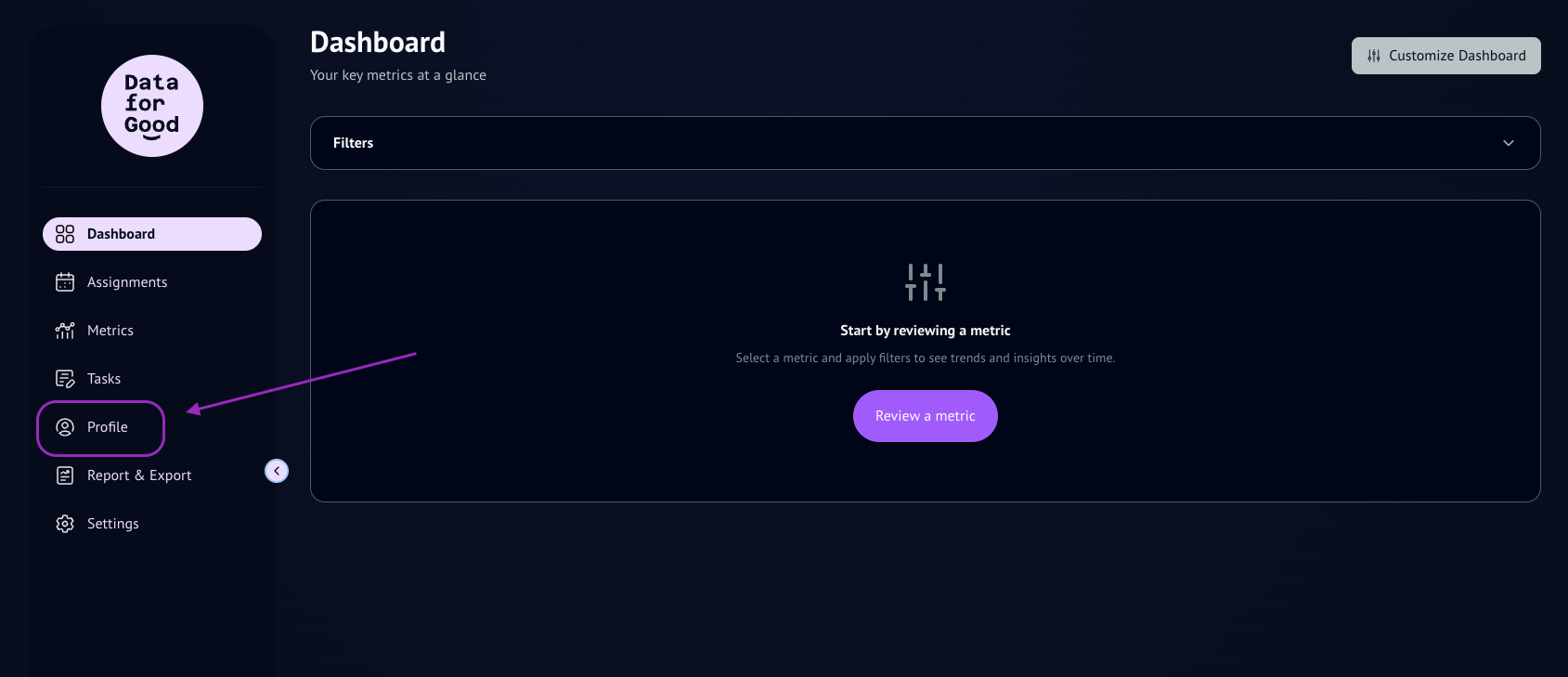
On Profile, you can manage all aspects of your personal account (profile photo, name, password, email, notifications and more).
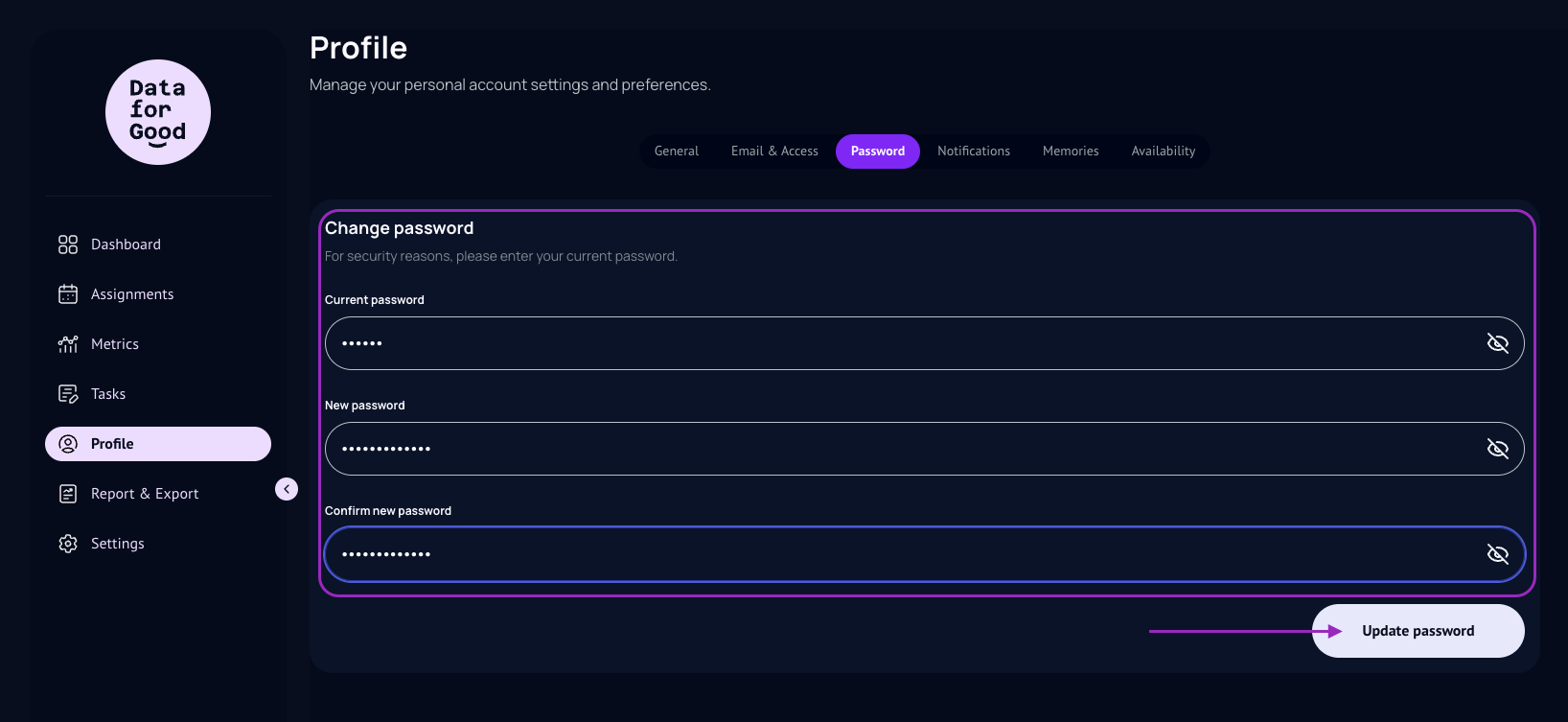
Click on Password.
You will need to know your current password in order to change to a new password.
You will first type in your first password
And then, add your new password twice underneath it.
Click Update Password.
You will only be able to save your new password if the password characters match in both lines (New Password and Confirm New Password).
You will receive an email from our team automatically confirming the change.
If you receive an email notification of Password change that you did not initiate, reach out to us immediately for verification.